 Brian Millot
Backlinks for Startups: Dofollow vs Nofollow, Referring Domains, Link Equity and Your First 20 Links
Everything a founder needs to know about backlinks: what they are, dofollow vs nofollow, referring domains, link equity, anchor text, your backlink profile, and how a new site earns its first twenty links.
On this page
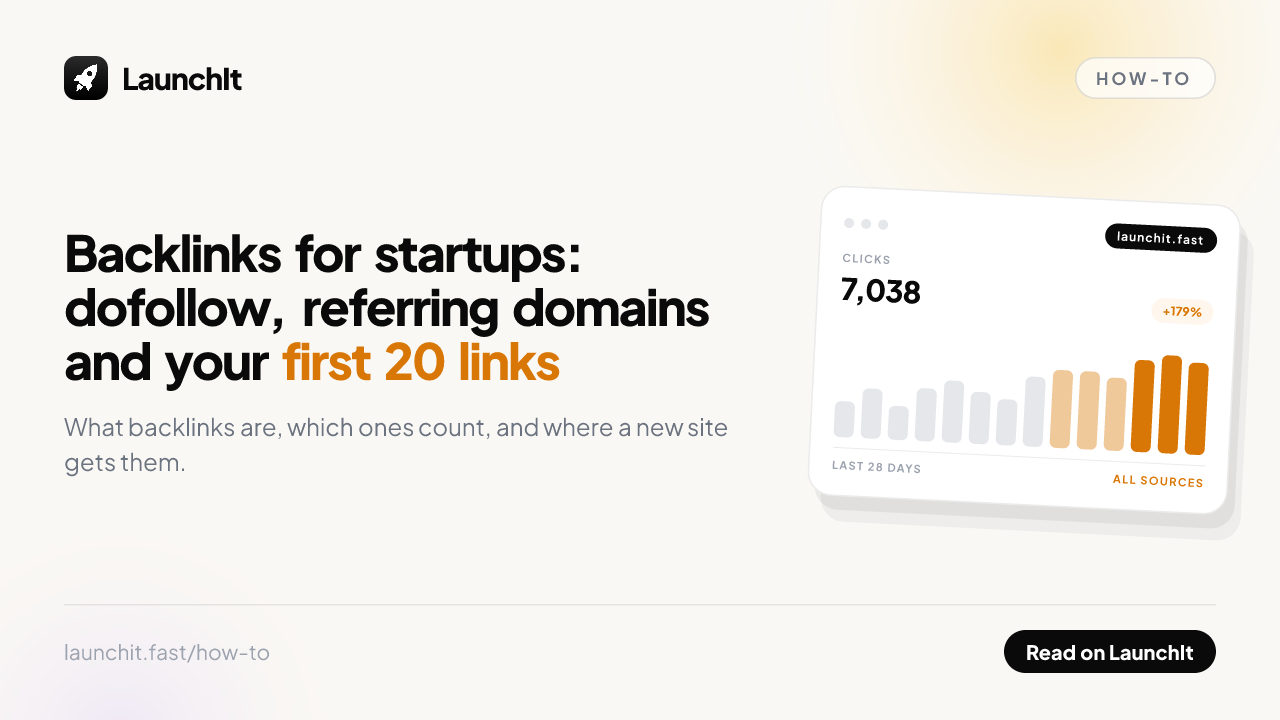
Backlinks are the part of SEO that a brand-new startup cannot fake. Content you can write in a weekend; links other sites choose to give you take a footprint. This guide folds our former glossary entries and docs on the subject into one place, in the order a founder meets them: what a backlink is, why the dofollow question matters, how referring domains and link equity are counted, what anchor text and your overall profile signal, and finally the practical part, where a new site gets its first twenty links without a budget.
If you only want the score these links feed, read Domain Rating explained next. If you want to see where you stand today, the free Domain Rating checker pulls live Ahrefs data for any domain.
What a backlink is
A backlink is a link from another website to yours. Search engines treat them as votes of confidence, which makes them one of the strongest ranking signals.
A backlink is any link from another website pointing to yours. They are also called inbound links or, less usefully, just links. Search engines have used them as a core ranking signal since the late 1990s, on the logic that a link is a vote: if many independent sites reference a page, it is probably worth reading.
That logic still holds, but the counting has become far more careful. A backlink's value depends on where it comes from, whether it is dofollow, whether the linking page is itself indexed, how relevant the linking site is to yours, where on the page the link sits, and what its anchor text says. One editorial link from a respected site in your category can outweigh several hundred from directories nobody reads.
What makes a backlink valuable
| Factor | Higher value | Lower value |
|---|---|---|
| Relevance | Same industry or topic | Unrelated subject |
| Authority | Established site with real traffic | New or abandoned site |
| Link type | Dofollow | Nofollow or sponsored |
| Placement | Inside body content | Footer or sidebar boilerplate |
| Uniqueness | A domain that has not linked before | Tenth link from a domain already linking |
| Indexability | Page is crawlable and indexed | Page is noindexed or blocked |
Why backlinks matter for startups
For a new domain, backlinks are usually the binding constraint. You can write genuinely excellent pages and still rank nowhere, because search engines have no evidence yet that anyone trusts your site. Content determines what you can rank for. Links largely determine whether you can rank at all.
This is also why the first year feels disproportionately hard. Nothing about the content changes when you cross from zero links to fifty, but your ability to compete does, and the effect is not linear. It arrives suddenly, as a set of pages you published months ago all start ranking at once.
Backlinks in practice
Realistic sources for an early stage startup, roughly in order of effort:
- Startup directories. Fast, repeatable, and the reason directory lists exist. Quality varies enormously, so check each one before spending time.
- Launch platforms. A launch produces a burst of links from aggregators and newsletters that cover launches.
- Integration and partner pages. If you integrate with another tool, ask to be listed on their integrations page. These are relevant, editorial, and often overlooked.
- Original data. Publish a number nobody else has and people cite it because they need it. This is the only source on the list that compounds without further outreach.
- Guest posts and podcasts. Slower, but the links are contextual and the audience is usually right.
Notice what is not on the list: buying links, link exchanges at scale, and automated submission tools. Those are the approaches that look efficient and are the ones spam systems are specifically built to catch.
Rules of thumb
Count referring domains, not backlinks. Fifty links from one site is roughly one vote. Fifty links from fifty sites is fifty votes, and the difference is enormous.
Prefer links you could defend in a conversation. If you would be uncomfortable explaining how you got a link, it is probably the kind that carries risk. Earned links age well; bought ones tend to become liabilities.
Common mistakes
- Chasing volume. A hundred links from link farms will not move you, and may actively hurt.
- Ignoring relevance. A link from an unrelated site in an unrelated language is close to noise.
- Never verifying. Submissions get rejected, listings get deleted, and rel attributes change. Check what actually went live.
- Treating it as a one off project. Link building is closer to a habit than a sprint, and profiles decay as sites go offline.
- Forgetting internal links. The links you control on your own site shape which pages rank, and cost nothing.
Dofollow vs nofollow links
A dofollow link is an ordinary hyperlink that passes ranking signals to its destination. There is no dofollow attribute: a link is dofollow when it is not marked nofollow.
A dofollow link is a normal hyperlink that passes ranking signals to the page it points at. When another site links to you this way, some portion of that site's authority flows to your page, which is the mechanism behind most of what people call link building.
Here is the part that most articles get wrong: there is no such thing as a dofollow attribute. You cannot add rel="dofollow" to a link and make it count for more. Search engines ignore it entirely. "Dofollow" is simply the community's name for a link that has not been marked with rel="nofollow", rel="sponsored", or rel="ugc". The default state of every link on the web is dofollow.
So a plain link like this one is dofollow:
<a href="https://example.com">Example</a>And this one is not:
<a href="https://example.com" rel="nofollow">Example</a>How to check whether a link is dofollow
Open the page that links to you, right click the link, and choose Inspect. Look at the rel attribute on the anchor tag. If there is no rel attribute, or the rel does not contain nofollow, sponsored, or ugc, the link is dofollow.
Do this on the live page rather than trusting what a directory or a seller told you. A meaningful share of sites that advertise dofollow links do not actually deliver them, sometimes by policy change and sometimes because a plugin adds the attribute automatically. We wrote about how to verify this properly in dofollow backlinks that show up in Ahrefs.
Why dofollow links matter for startups
Early on, your problem is almost never content and almost always authority. A new domain has no backlink profile, so it cannot compete for anything commercial regardless of how good the writing is. Dofollow links are the mechanism that changes that, which is why launches, directories, integrations, and genuine editorial coverage matter so much in the first year.
They are also the reason directory submission is worth doing at all. A listing that passes no authority is a traffic play, not an SEO play, and those are different things worth different amounts.
Dofollow links in practice
You submit to twelve directories over a week. Three months later you check which links actually exist and how they are marked. Seven are dofollow and indexed. Two are dofollow but on pages that are noindexed, so no crawler will ever count them. Two are nofollow. One never published your listing at all.
That is a realistic outcome, and it is why verification matters more than volume. Seven useful links from twelve submissions is a decent afternoon. Assuming twelve useful links, and building your plan on that assumption, is how founders end up confused about why nothing moved.
Rules of thumb
Relevance still comes first. A dofollow link from an unrelated, low quality site is worth less than a nofollow link from a publication your buyers actually read, because the second one brings people. Judge a link opportunity on traffic and relevance first, then check the rel attribute.
Never pay for dofollow links. Paid links that pass ranking signals violate Google's spam policies, and the sites selling them at scale are exactly the footprint those systems are built to find. If you buy a placement for traffic or brand reasons, it should be marked rel="sponsored", and that is fine.
Common mistakes
- Adding rel="dofollow" to your own links. It does nothing. The attribute is not real and search engines ignore it.
- Trusting the seller. Check the rendered HTML on the live page. Claims and reality diverge often.
- Forgetting the page must be indexable. A dofollow link on a noindexed or blocked page passes nothing, because the page is never counted.
- Checking only in the browser. If the link is injected by JavaScript after load, crawlers may never see it. View the server rendered source, not just the inspector.
- Chasing dofollow to the exclusion of everything else. Links that send real visitors are valuable even when they pass nothing.
Nofollow, sponsored and UGC
A nofollow link carries rel="nofollow", telling search engines not to pass ranking signals to the destination. Since 2020 Google treats it as a hint rather than a directive.
A nofollow link is a hyperlink carrying the attribute rel="nofollow". It tells search engines that the linking site does not want to pass ranking signals to the destination. In practice it means the link is unlikely to help the target page rank.
The attribute was introduced in 2005, created jointly by Google, Yahoo and MSN to fight blog comment spam. The logic was simple: if links in comments and forums pass no value, there is no incentive to spam them. It worked well enough that nofollow spread far beyond comments, and today it is applied broadly across user generated content, paid placements, and many directories.
Two changes are worth knowing. In September 2019 Google added two more specific values: rel="sponsored" for paid or affiliate links, and rel="ugc" for user generated content such as comments and forum posts. Then in March 2020 Google began treating all three as hints rather than directives, meaning it may choose to consider a nofollow link for ranking purposes. That is a meaningful shift, though you should still plan on the assumption that a nofollow link passes little or nothing.
The three link attributes
| Attribute | Intended for | Passes ranking signals |
|---|---|---|
| (none) | Ordinary editorial links | Yes |
| rel="nofollow" | Links you do not vouch for | Generally no, treated as a hint |
| rel="sponsored" | Paid, affiliate, advertising | No |
| rel="ugc" | Comments, forums, user posts | Generally no |
Why nofollow links still matter for startups
It is easy to read "passes no authority" as "worthless", and that is a mistake. A nofollow link from a site your buyers actually read will send you real visitors, real signups, and often real revenue. None of that requires a search engine's permission.
There is also a credibility dimension. Many of the highest profile places a startup can appear, including large news sites, Wikipedia, and most social platforms, mark outbound links nofollow as a blanket policy. Refusing those placements because of an HTML attribute would be an odd way to run a company.
Finally, a profile made up entirely of dofollow links is itself unnatural. Real sites accumulate a mix, because real mentions happen in comments, forums, and social posts. A clean sweep of followed links is a pattern, and patterns are detectable.
Nofollow in practice
Your product gets covered by a well known tech publication. The link is nofollow, as their policy dictates. In the following week you get four thousand visitors, ninety signups, and two other blogs write about you independently after seeing the piece. Those secondary posts link dofollow.
The nofollow link passed no authority directly and was still the most valuable link you got that quarter, because it caused the ones that did. This is the normal shape of how coverage compounds, and it is invisible if you evaluate links purely by their rel attribute.
Rules of thumb
Judge a link by the traffic and credibility it brings first, and by its rel attribute second. If a placement would put you in front of the right people, take it regardless of how the link is marked.
On your own site, use the attributes honestly. Mark paid and affiliate links rel="sponsored", mark comment sections rel="ugc", and leave your editorial links alone. Getting this wrong on paid links is a spam policy violation, and it is entirely avoidable.
Common mistakes
- Treating nofollow links as worthless. They bring people. People are the point.
- Turning down good coverage over the attribute. The visibility is usually worth far more than the link would have been.
- Failing to mark paid links. Selling or buying followed links breaches Google's policies. Use rel="sponsored".
- Assuming nofollow means invisible. Google describes it as a hint now, and may still use it. It is not a guarantee in either direction.
- Nofollowing your own internal links. An old tactic called PageRank sculpting that has not worked for many years and now just wastes link equity.
How to check a link
- In the browser: right-click the link, choose Inspect, and look at the
<a>tag. Norel="nofollow"means it is dofollow. - In bulk: Ahrefs, Semrush, and most backlink checkers label each backlink dofollow or nofollow.
- On LaunchIt: our backlink verifier reports whether the link it finds on your site is nofollow, so you know before review does.
Do nofollow links matter?
Yes, just not for authority. Nofollow links still:
- Send real traffic. A visitor does not care about the rel attribute.
- Help discovery. Google still crawls many nofollow links, which gets new pages indexed.
- Make your profile look natural. A backlink profile that is 100% dofollow looks manufactured. Some nofollow is healthy.
For growing DR, though, prioritize dofollow: that is where the authority flows.
Referring domains, the count that actually moves scores
A referring domain is a unique website that links to you at least once. Fifty links from one site count as a single referring domain.
A referring domain is a unique website linking to yours, counted once no matter how many individual links it sends. If one blog links to you from forty different posts, that is forty backlinks and one referring domain.
The distinction matters more than almost any other number in link building, because search engines weight repeat links from the same source with heavy diminishing returns. The first link from a domain carries most of the value. The second adds a little. The fortieth adds essentially nothing. A site with 5,000 backlinks from 30 referring domains is far weaker than one with 400 backlinks from 300 referring domains, even though the first number looks ten times better.
Why this is the metric to track
Referring domains is the closest thing to an honest progress metric in link building. It is hard to inflate accidentally, it maps directly to the work you do, and it moves in units you can plan around. "Five new referring domains this month" is a target a small team can actually act on.
Total backlink count, by contrast, is easily distorted. A single sitewide footer link from one partner can add thousands of backlinks overnight and change nothing about your authority. Founders who track backlinks rather than domains regularly celebrate a number that means nothing.
Referring domains in practice
Rough expectations for an early stage B2B or SaaS site, assuming genuine effort rather than purchased links:
| Age | Referring domains | What that looks like |
|---|---|---|
| Month 3 | 10 to 30 | Directories, a launch, a few personal networks |
| Month 6 | 30 to 60 | Add integrations, a podcast, early coverage |
| Year 1 | 60 to 150 | Content starts earning links without outreach |
| Year 2 | 150 to 400 | Compounding, if publishing has been consistent |
These are ranges, not benchmarks to be judged against. A consumer product that goes viral can beat the year one figure in a fortnight, and a niche B2B tool may sit at forty domains and rank perfectly well because its competitors have thirty.
Rules of thumb
Compare against your competitors rather than an absolute target. Check the referring domain counts of the sites currently ranking for the query you want. That number, not a generic benchmark, is what you need to approach.
Prioritise new domains over more links from existing ones. When you already have a link from a site, further links there are largely a traffic play. Your outreach time is better spent on a domain that has never linked to you.
Common mistakes
- Reporting backlinks instead of referring domains. The larger number is the less meaningful one.
- Celebrating sitewide links. A footer link across ten thousand pages is one vote, not ten thousand.
- Ignoring decay. Sites close, posts get deleted, and links vanish. A flat count month over month may hide both gains and losses.
- Counting nofollowed domains as equivalent. Track them, but understand they contribute differently.
Link equity: how value passes through a link
Link equity, informally called link juice, is the ranking value passed from one page to another through a link. It is divided among the links on a page.
Link equity, often called link juice, is the ranking value that passes from one page to another through a hyperlink. It is the mechanism underneath every link based metric: when people say a link "passes authority", link equity is what they mean.
The concept descends from PageRank, the algorithm Google was originally built on. The modern version is far more complicated and no longer publicly visible, but the core intuition survives: a page holds some amount of value, and it distributes that value across the links it contains. A link from a page with many outbound links passes less than a link from a page with few.
Crucially, equity flows through internal links as well as external ones. Authority that arrives at your homepage does not stay there. It moves through your site along whatever paths your navigation and content create, which means your internal linking decides which of your pages can compete.
What affects how much flows
- The linking page's own authority. Value cannot be passed if there is none to pass.
- Number of outbound links on that page. More links means each gets a smaller share.
- Link attributes. A nofollow or sponsored link generally passes nothing.
- Placement. Contextual body links are weighted more than repeated footer or sidebar links.
- Indexability. A link on a noindexed or blocked page passes nothing, because the page is not counted.
- Redirects. A 301 passes most equity. A broken link passes none at all.
Why link equity matters for startups
Because it explains the most common frustration in early SEO: a decent domain with pages that will not rank. The authority exists, it is simply pooled on the homepage and a couple of old posts, and nothing routes it to the pages you actually want to sell from.
Fixing that requires no outreach, no budget, and no permission. It is the rare piece of SEO work that is entirely within your control, which makes it the first thing to exhaust before chasing new backlinks.
Link equity in practice
A site has a hundred articles, a healthy Domain Rating, and a set of product pages ranking nowhere. Inspecting the internal links reveals the product pages are reachable only from the top navigation, while the articles link heavily to each other.
The fix is to add contextual links from the articles most related to each product page, using varied anchor text, and to remove or consolidate links to pages that do not matter commercially, such as duplicate tag archives. Nothing external changes. The equity already on the domain simply gets routed somewhere useful, and within weeks the product pages begin to move.
Rules of thumb
Link deliberately from your strongest pages to your most important ones. Find the pages with the most external links pointing at them, then make sure they link onward to whatever you need to rank.
Fix broken internal links and redirect chains when you find them. Every 404 is equity poured into a dead end, and every unnecessary hop in a chain loses a little more.
Common mistakes
- Nofollowing internal links to "sculpt" flow. This stopped working many years ago and now simply discards the equity.
- Burying key pages several clicks deep. The further a page is from your linked-to pages, the less reaches it.
- Linking out excessively from strong pages. Every additional outbound link dilutes the share each one receives.
- Ignoring broken links. Equity flowing into a 404 is simply lost.
- Publishing orphan pages. A page nothing links to receives nothing, regardless of how strong the domain is.
Anchor text
Anchor text is the visible, clickable text of a hyperlink. It tells search engines and readers what the destination page is about.
Anchor text is the visible, clickable wording of a link. In the HTML below, the anchor text is "free SEO tools":
<a href="/seo-tools">free SEO tools</a>It does two jobs at once. For readers, it sets the expectation of where the link goes, which is why "click here" is bad writing as well as bad SEO. For search engines, it is a strong descriptive signal about the destination page, since the linking site is effectively summarising what it thinks the target is about.
That second job is why anchor text was abused heavily for years, and why it is now watched closely. If two hundred sites all link to one page with exactly the same commercial phrase, that pattern did not occur naturally.
The types of anchor text
| Type | Example | Use |
|---|---|---|
| Branded | LaunchIt | Should be your most common by far |
| Naked URL | launchit.fast | Common and natural |
| Generic | click here, this page | Natural, but weak signal |
| Partial match | this domain rating tool | Useful, low risk |
| Exact match | domain rating checker | Powerful, use sparingly |
| Image | alt text acts as the anchor | Write real alt text |
Why anchor text matters for startups
You have far more control over anchor text internally than externally, and internal links are where most founders leave value on the table. Every article you publish is an opportunity to describe a destination page accurately, and search engines read that description.
Externally you mostly cannot dictate anchor text, and that is healthy. Sites will link to you with your brand name, a naked URL, or whatever phrase suits their sentence. A natural profile is dominated by branded and URL anchors, with exact match phrases appearing rarely. If you find yourself asking every partner to use the same keyword, you are manufacturing a pattern.
Anchor text in practice
You want a tool page to rank for a specific query. Across your existing articles you add twelve internal links to it. Rather than repeating the target phrase twelve times, you write each one to fit the sentence it lives in: one uses the exact phrase, four use partial variations, three use the tool's proper name, and the rest are descriptive, such as "check any domain in seconds".
The page gets the topical signal it needs, and the pattern reads like ordinary writing, because it is. This costs nothing beyond a few minutes of care and it is one of the more reliable ranking improvements available on an established site.
Rules of thumb
Write the sentence first, then make part of it a link. If the anchor only makes sense because you wanted a keyword in it, rewrite the sentence. Natural anchors are a by-product of natural writing, not a separate optimisation step.
Keep exact match anchors in a clear minority, both internally and externally. There is no magic ratio worth quoting, but if exact match commercial phrases dominate your profile, that is the anomaly worth fixing.
Common mistakes
- Using "click here". It describes nothing, helps nobody, and wastes the signal entirely.
- Repeating one exact phrase everywhere. The clearest over-optimisation footprint there is.
- Requesting specific anchors in outreach. It makes an editorial link look purchased, which defeats the purpose.
- Leaving image links without alt text. Alt text serves as the anchor for image links, so an empty alt is a wasted signal and an accessibility failure.
- Linking the same page repeatedly in one article. The first link is the one that counts. The rest just clutter the text.
Your backlink profile as a whole
Your backlink profile is the complete set of links pointing to your site, along with their sources, anchor text, link types and growth over time.
Your backlink profile is the whole picture of who links to you: every backlink, which domains they come from, what anchor text they use, whether they are dofollow or nofollow, what kinds of sites they sit on, and how all of that has changed over time.
Individual links are judged on their merits. The profile is judged on its shape. Search engines evaluate patterns across the whole set, which is why a profile can look concerning even when no single link in it does, and why summary scores like Domain Rating are calculated from the profile rather than from any one link.
What a natural profile looks like
| Dimension | Natural | Suspicious |
|---|---|---|
| Anchor text | Mostly branded and naked URLs | Dominated by exact match keywords |
| Link types | A mix of followed and nofollowed | Almost entirely dofollow |
| Growth | Uneven, with spikes around real events | A steady identical number every week |
| Sources | Varied: blogs, directories, news, forums | One site type repeated endlessly |
| Relevance | Mostly related industries | Unrelated topics and languages |
| Geography | Matches where you operate | Concentrated somewhere you do not sell |
The pattern in the right column is not evidence of wrongdoing on its own. Plenty of legitimate sites have odd profiles. But each one is a question worth being able to answer.
Why your backlink profile matters for startups
It is the closest thing search engines have to a reputation score for your domain, and it is largely what determines whether your content can compete at all. It is also the part of your SEO that is hardest to undo. Content can be rewritten in an afternoon; a profile stuffed with purchased links takes months to disavow and clean up, if it can be cleaned at all.
That asymmetry is the main argument for patience early on. The cheap shortcuts available in year one are precisely the ones that create year two problems.
Your profile in practice
A founder buys a package promising a hundred backlinks for a modest fee. Six weeks later Domain Rating has risen from 6 to 21, which looks like progress. Rankings have not moved at all.
Inspecting the profile explains why: ninety of the links come from a handful of site networks, the anchor text is the same commercial phrase repeated, and the growth curve is a perfectly straight line. None of that resembles how real sites accumulate links, and the value is discounted accordingly. The score rose because the score counts links; the rankings did not, because the ranking systems evaluate the pattern. Undoing it takes longer than earning twenty real links would have.
Rules of thumb
Audit quarterly rather than obsessively. You are looking for three things: new links worth thanking someone for, lost links worth chasing, and anything that appeared without explanation.
Expect and accept decay. Sites shut down and posts get deleted, so a portion of your links disappear every year. A profile that only ever grows, never loses anything, and grows at a constant rate is describing something other than the open web.
Common mistakes
- Optimising for the score. Working to raise DR rather than to earn real links produces exactly the profile above.
- Buying links in bulk. Fast, cheap, and the specific pattern spam systems are designed to identify.
- Never checking what went live. Submissions fail and listings get removed. Verify rather than assume.
- Disavowing too eagerly. The disavow tool is a last resort. Most sites never need it, and misusing it removes links that were helping.
- Judging by total link count. Track referring domains, which is the number that reflects real progress.
Getting your first twenty backlinks
Getting your first backlinks
For a brand new product the realistic sources are:
- Launch platforms and directories. The fastest route: every listing is a backlink from an established domain.
- Your own profiles. GitHub, X, LinkedIn, and community profiles all let you link your site.
- Guest posts and interviews. Slower, but the links come with real readers.
- Partners and friends. Cross-link with makers whose products complement yours.
Backlinks on LaunchIt
Every product listed on LaunchIt gets a dedicated tool page, and the "Open Website" button on that page is a dofollow link to your site. That is a backlink from launchit.fast that you keep for as long as you are listed.
In return, the free Basic Launch asks you to link back to LaunchIt from your site, either as a text link or with one of our badges. See how backlink verification works for what our checker looks for.
If you would rather not do the submissions one by one, the directory submission service lists your product on 30 to 100 directories and sends back every live link. And because AI assistants draw on the same directories and roundups when they recommend products, the links you earn here also decide whether ChatGPT and Perplexity name you: see how to track brand mentions in AI assistants.
Frequently asked questions
What is a backlink in simple terms?
A link on someone else's website that points to a page on yours. Search engines treat each one as a vote for that page, weighted by how trusted and relevant the linking site is.
Are dofollow links better than nofollow links?
For authority, yes: only dofollow links pass ranking signals reliably. Nofollow links still send visitors, still help discovery, and make a link profile look natural, so a healthy profile has both.
How many backlinks does a new website need?
Fewer than most founders think, as long as they come from different sites. Twenty referring domains from real directories, communities and partners is enough to move a new domain out of the invisible band, and it is a realistic first-month target.
Do directory listings count as backlinks?
Yes, when the listing links to your site. Whether the link passes authority depends on the directory's policy, so check the rel attribute. A LaunchIt tool page links to your site without nofollow.
How long before a new backlink shows up in Ahrefs?
Usually days, sometimes weeks. Ahrefs recrawls on its own schedule and a link from a rarely crawled page takes longer. Judge progress monthly, not daily.
Can I buy backlinks?
You can, and Google's spam policies treat paid links that pass authority as a violation. The realistic risk for a startup is a manual action on a domain you cannot afford to lose. Earn listings, reviews and mentions instead.
Free tools for these steps
No account, no credit card. Built for founders doing their own SEO.
Ask AI about this guide
Open your assistant with the guide preloaded: key takeaways and next steps.